AWS Lambda is a service that runs your code only when something triggers it, you don’t manage servers.
Lambda part
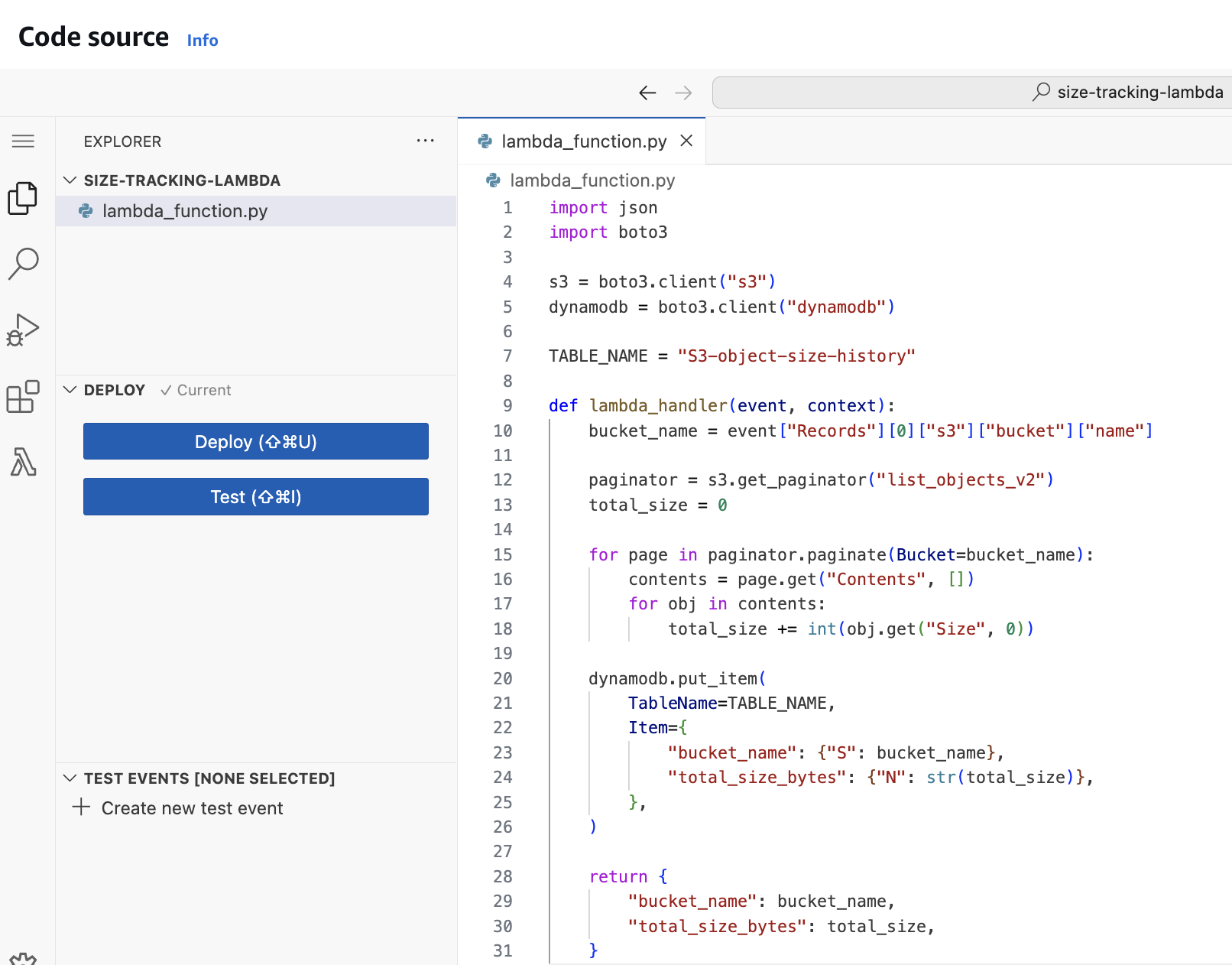
- Function code
- Your Python file +
lambda_handler(event, context) - This is the logic (compute bucket size, write DynamoDB, make plot…)
- Your Python file +
- Runtime
- The language environment Lambda provides (Python 3.11, Node.js, Java…)
- Determines what built-in libraries are available
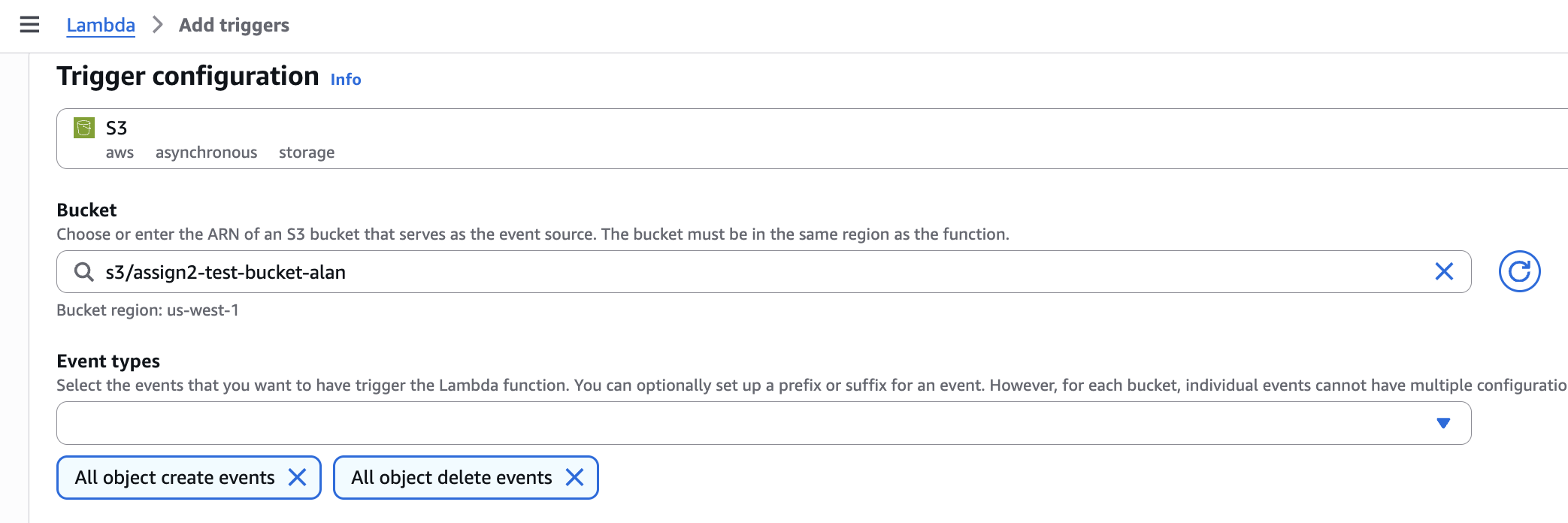
- Trigger (Event source)
- What causes Lambda to run
- Examples: S3 upload/delete, API Gateway request, EventBridge schedule
- Execution role (IAM Role)
- Permissions for your Lambda to call AWS services
- Example: allow
s3:ListBucket,dynamodb:PutItem, CloudWatch Logs
- Configuration
- Memory, timeout, environment variables, architecture (x86_64/arm64)
- Example:
TABLE_NAME,BUCKET_NAME,TIME_WINDOW_SECONDS
- Layers (optional)
- Extra libraries or shared code
- Example: matplotlib layer for plotting
- Logging/Monitoring (CloudWatch)
- Where
print()output goes - Used by TAs to verify it ran and debug errors
- Where
boto3 create Lambda compulsory part
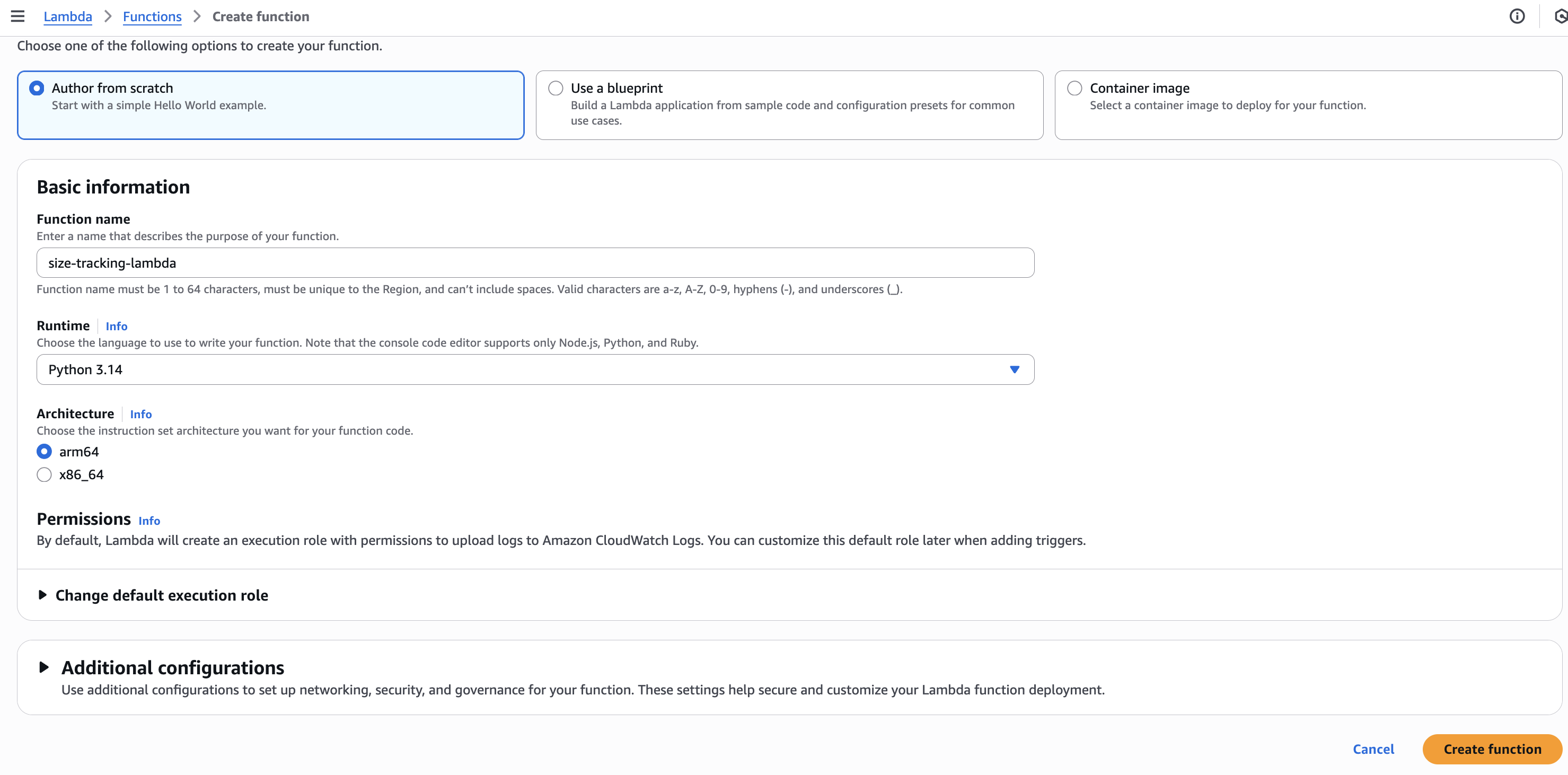
- Function Name
- Runtime
- language environment:
python
- language environment:
- Role
- Lambda must assume an execution role
- e.g.,
arn:aws:iam::<account-id>:role/<role-name>
- Handler
- Entry point, tells Lambda which Python file and which function to call when the Lambda is invoked.
- format:
<file_name>.<function_name>
- Code
Manual setting
Step1: Create Lambda
Step2: Create Trigger
Step3: Create Code source
Step4: Grant the Lambda Role Access to S3 and DynamoDB
{
	"Version": "2012-10-17",
	"Statement": [
		{
			"Sid": "AllowListBucket",
			"Effect": "Allow",
			"Action": [
				"s3:ListBucket"
			],
			"Resource": "arn:aws:s3:::assign2-test-bucket-alan"
		},
		{
			"Sid": "AllowPutItemToDDB",
			"Effect": "Allow",
			"Action": [
				"dynamodb:PutItem"
			],
			"Resource": "arn:aws:dynamodb:us-west-1:*:table/S3-object-size-history"
		}
	]
}