ECR: Elastic Container Registry
TOC:
- Step 1 — Create an ECR Repository (Console)
- Step 2 — Verify the Repository Exists (AWS CLI)
- Step 3 — Authenticate Docker to ECR (Required)
- Step 4 — Tag Local Image with the ECR URI
- Step 5 — Push to ECR
- Optional — Confirm the Image Exists in ECR
Goal: Create an ECR repository in us-west-1, then tag and push a local Docker image to ECR.
- Create ECR
- Configure ECR permissions
- Docker tag new name with AWS ECR format
Successfully upload to ECR
Step 1 — Create an ECR Repository (Console)
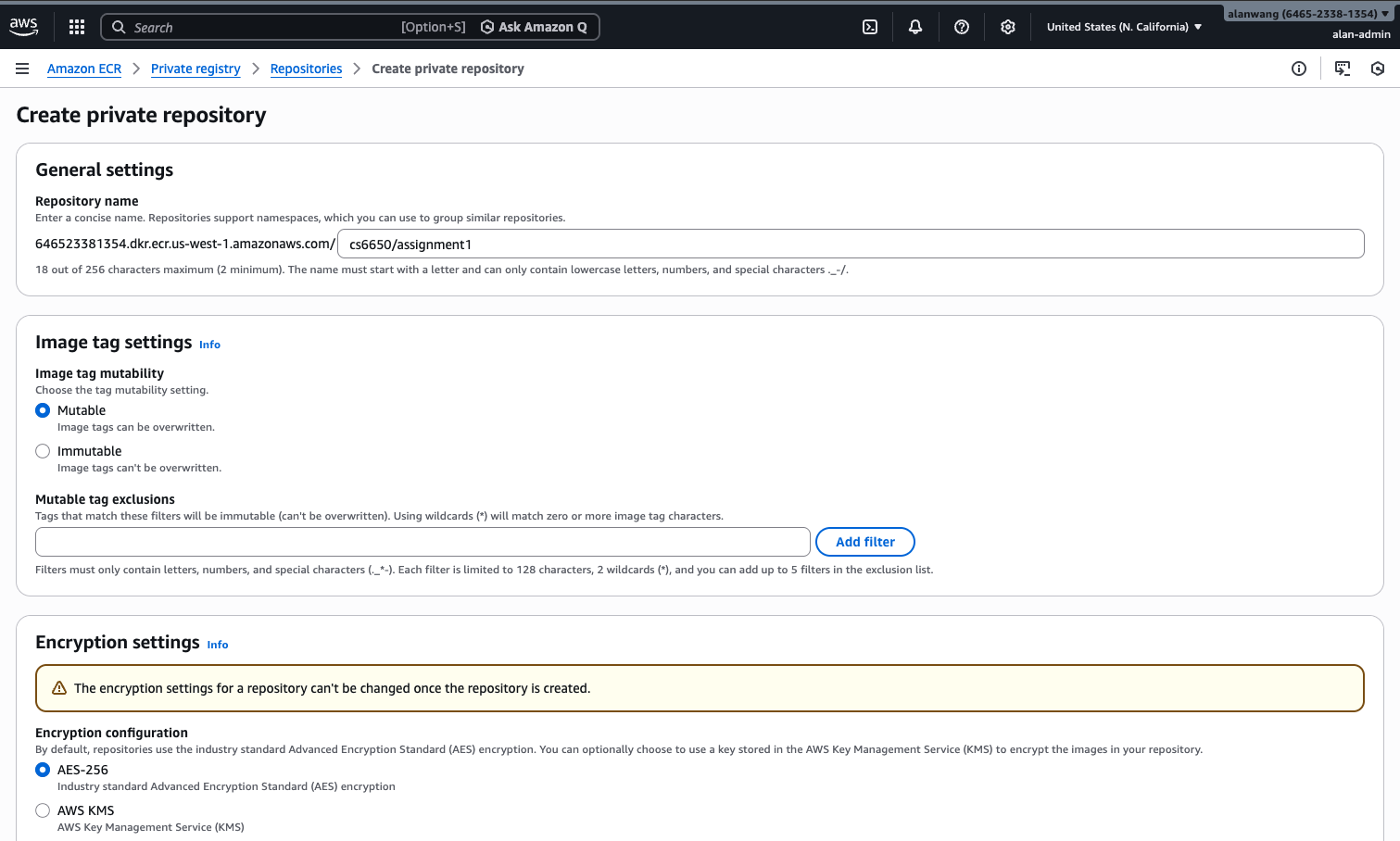
Repository URI: 646xxxx81354.dkr.ecr.us-west-1.amazonaws.com/cs6xxx/assignment1
URI format: <account-id>.dkr.ecr.<region>.amazonaws.com/<repo-name>
Step 2 — Verify the Repository Exists (AWS CLI)
aws ecr describe-repositories \
  --region us-west-1 \
  --repository-names cs6650/assignment1
Step 3 — Authenticate Docker to ECR (Required)
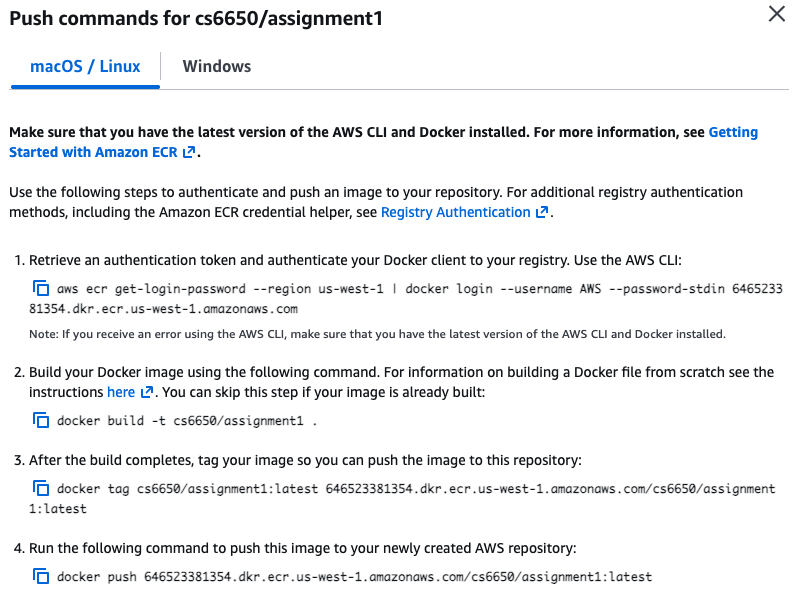
This is required before docker push, otherwise you may see: no basic auth credentials
aws ecr get-login-password --region us-west-1 | docker login \
  --username AWS \
  --password-stdin 646523381354.dkr.ecr.us-west-1.amazonaws.com
Step 4 — Tag Local Image with the ECR URI
- Local image:
cs6650_assignment-api-service:latest - Target (ECR image name):
646523381354.dkr.ecr.us-west-1.amazonaws.com/cs6650/assignment1:latest
docker tag cs6650_assignment-api-service \
646523381354.dkr.ecr.us-west-1.amazonaws.com/cs6650/assignment1:latest
Why tag?
Tagging assigns a new name (including the registry domain) to the same local image, so Docker knows where to push.
Step 5 — Push to ECR
docker push 646523381354.dkr.ecr.us-west-1.amazonaws.com/cs6650/assignment1:latestOptional — Confirm the Image Exists in ECR
aws ecr list-images \
  --repository-name cs6650/assignment1 \
  --region us-west-1 \
  --output table